
A great arena needs powerful, simple-to-use software. We are key integrators for the leading arena management platform, ggCircuit.
An esports arena can quickly become difficult to manage if every machine needs separate updates, students can change settings, or staff cannot control what is launched during lessons. Schools and colleges need software that keeps the arena ready for teaching, protects the learning setting and supports supervised use beyond the timetable.
Through Yoyotech, Centerprise provides software and management tools for education esports arenas, using ggCircuit technologies to simplify updates, control access, and support safe, structured use.
The service helps staff manage games, applications, sessions, permissions and content from one controlled platform. It also supports the use of the arena for clubs, tournaments, holiday sessions and community activity, while keeping student data and educational use protected.

ggRock is a centralised, diskless boot solution that reduces the pressure of managing large game updates across multiple machines. Instead of updating every PC individually, staff can update once on the server, then reboot the arena machines so they are ready to use.

ggLeap gives staff control over the digital learning setting. Teachers can launch a game, application or BTEC module across every machine, set session limits and manage user permissions from a platform built for gaming environments.
Yoyotech supports safeguarding and security through curated content, permissions, reboot-to-restore protection and centralised management. Staff can define which applications and games appear on the dashboard, helping keep students focused on approved content.
With the right management tools, institutions can use their esports arena for evening, weekend and holiday activities, including tournaments, parties and community sessions. ggCircuit supports profile switching between a locked-down education mode and a commercial mode for public use.
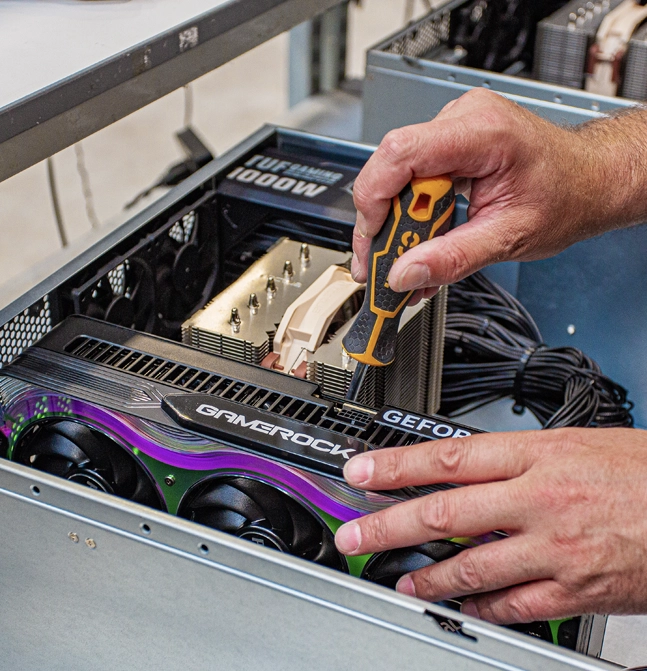
ggRock allows staff to update once and deploy across the arena, reducing the need to manage each PC individually.
Arena machines can run from a central server image, reducing reliance on large local SSDs in every tower.
ggLeap allows staff to launch applications, set session limits and manage access across the room.
Staff can control which games and applications are visible to students, keeping the arena focused on approved use.
Machines can return to a clean state after use, helping prevent permanent changes to settings or software.
Centralised management helps reduce the risk of unauthorised downloads, USB-based threats and malware on individual machines.
ggCircuit supports separate controlled profiles for teaching and public use, helping institutions run events without exposing student data.
Management software supports lessons, clubs, competitions, holiday sessions, tournaments and community activity.
Bespoke furniture that elevates your space from a simple classroom to a branded facility.
They are designed for demanding creative workloads such as video editing, motion graphics, 3D rendering, VFX, photography, design and multimedia production.
Yes. You can specify CPU, GPU, memory and storage to suit your applications, project sizes and performance priorities.
We can build to suit different footprints, including compact options where desk space is limited, alongside more traditional desktop configurations.
Yes. Operating system and driver setup can be included, with optional imaging and asset tagging to streamline deployment across teams.
Builds are designed with upgrade paths in mind. We can plan for future expansion across memory, storage and graphics as requirements grow.
Ongoing support is available for upgrades, repairs and refresh planning, helping you maintain performance over the life of the workstation.
Yes. A custom build lets you align performance and budget to your actual applications and workflows, prioritising the components that make the biggest difference for your use case.
We can support staged deployment with secure storage, stock holding and planned dispatch, so teams receive systems in phases rather than all at once.